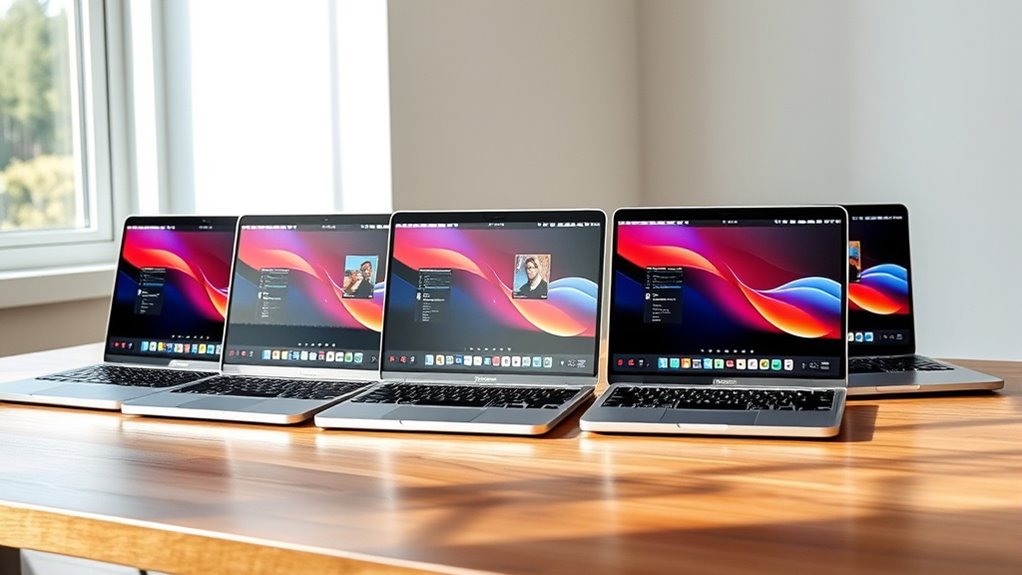

Choosing the right MacBook Pro for photography and Lightroom work hinges on balancing processing power, display quality, and portability. The Apple 2025 MacBook Pro with M5 Chip stands out as the overall best, offering a robust combination of speed and display brilliance. For those prioritizing raw power, the MacBook Pro with M5 Max Chip provides unmatched performance, while budget-conscious buyers will find the Renewed M2 Max appealing for a lower price. The main tradeoffs involve balancing high-end specs with cost and portability, as more powerful models tend to be larger and pricier. Continue reading for a detailed breakdown of these options and what makes each suitable for different workflows.

Get your wardrobe favorites delivered free with Prime
- Fast, free delivery on millions of items
- Prime Video, Amazon Music and more included
- Member-only deals all year
Key Takeaways
- Top-tier performance in the M5 Max and M5 Pro chips makes high-resolution editing faster and more fluid.
- Display quality, especially Liquid Retina XDR screens, is critical for accurate color grading in Lightroom.
- More RAM and larger SSDs significantly improve multitasking and file handling with large photo libraries.
- Portability varies; some models offer larger screens and more power but at the expense of weight and size.
- Pricing reflects performance and features, so balanced configurations often deliver the best value for most photographers.




| macbook pro for photographers and lightroom | Processor | Display | Storage | Memory |
|---|---|---|---|---|
| Apple 2025 MacBook Pro Laptop | Apple M5 chip with 10-core CPU and GPU | 14.2-inch Liquid Retina XDR | 1TB SSD | 16GB Unified Memory |
| Apple 2023 MacBook Pro with M3 | Apple M3 Pro Chip (up to 12-core CPU, 18-core GPU) | 14.2-inch Liquid Retina XDR | 1TB SSD | — |
| Apple MacBook Pro 14" with M5 | M5 Max 18-core CPU | Liquid Retina XDR, 23456 x 2234 resolution | SSD (speed up to twice as fast as previous models) | 64GB RAM |
| Apple 2026 MacBook Pro Laptop | Apple M5 Pro chip with 18-core CPU and 20-core GPU | 16.2-inch Liquid Retina XDR | 1TB SSD | 24GB |
| Apple MacBook Pro Laptop with | M5 Pro or M5 Max with 18-core CPU and 20-core GPU | 16.2-inch Liquid Retina XDR | 1TB SSD | 64GB |
| Apple MacBook Pro with M2 Max | M2 Max | 16.2-inch | 1TB SSD | 32GB |
| Apple MacBook Pro M2 Pro 14.2- | M2 Pro 12-Core | 14.2-inch Liquid Retina XDR | 1TB SSD | 16GB |
| Apple 2023 MacBook Pro Laptop | M3 Pro 12-core | 16.2-inch Liquid Retina XDR | 512GB SSD | 18GB |
| Apple 2024 MacBook Pro Laptop | M4 Pro | 14-inch Liquid Retina XDR | 512GB SSD | 48GB |
| 2023 Apple MacBook Pro 16-inch | M3 Pro 12-core | 16.2-inch Liquid Retina XDR | 1TB SSD | 36GB |
More Details on Our Top Picks
Apple 2025 MacBook Pro Laptop with M5 Chip, 14.2-inch Liquid Retina XDR Display, 16GB RAM, 1TB SSD, Space Black
This MacBook Pro stands out for its cutting-edge M5 chip with 10-core CPU and GPU, offering a significant performance boost over the M3 Pro in the 2023 model. Its 14.2-inch Liquid Retina XDR display provides vibrant visuals ideal for editing photos in Lightroom, while its seamless Apple ecosystem integration simplifies workflows. Compared with the M5 Max-powered 14″ model, it balances power with portability, but the limited port selection can be a hassle for some workflows. The premium price may be a barrier, yet the combination of performance, display quality, and battery life makes it the best choice for serious photographers who need a portable powerhouse.
Pros:- Powerful M5 chip with high-performance CPU and GPU
- Stunning Liquid Retina XDR display with high brightness and contrast
- Seamless integration with other Apple devices
- All-day battery life
Cons:- Premium price may be expensive for some users
- Limited port options for complex workflows
Best for: Professional photographers who need high performance and portability for editing on the go
Not ideal for: Photographers requiring extensive port options or budget-conscious users
- Processor:Apple M5 chip with 10-core CPU and GPU
- Display:14.2-inch Liquid Retina XDR
- Memory:16GB Unified Memory
- Storage:1TB SSD
- Color:Space Black
- Battery Life:All-day
Our verdict“This model is ideal for photographers seeking a balanced mix of performance, portability, and display quality.”
Apple 2023 MacBook Pro with M3 Pro Chip, 14-inch, 18GB RAM, 1TB SSD, Space Black (Renewed)
Compared to the newer M5 models, this 2023 MacBook Pro with the M3 Pro chip offers strong performance for demanding tasks and an exceptional display that supports HDR, making it suitable for professional photo editing. Its up to 18 hours of battery life surpasses many older models, but being a renewed product could involve warranty concerns. While it lacks the latest hardware innovations like Thunderbolt 5 or Wi-Fi 7, its performance-to-price ratio makes it appealing for photographers who need serious power without the latest premium features. It’s slightly heavier and may feel less future-proof, but it strikes a good balance for demanding workflows.
Pros:- Powerful M3 Pro chip suitable for demanding workflows
- Exceptional HDR-compatible display
- Long battery life of up to 18 hours
- Good price for a renewed high-end machine
Cons:- Renewed product may have limited warranty
- Heavier than smaller laptops, less portable
Best for: Photographers who need high-performance editing hardware without paying full price for the latest generation
Not ideal for: Users who want the newest hardware technologies or minimal wear concerns
- Processor:Apple M3 Pro Chip (up to 12-core CPU, 18-core GPU)
- Display:14.2-inch Liquid Retina XDR
- RAM:18GB
- Storage:1TB SSD
- Color:Space Black
- Battery Life:Up to 18 hours
Our verdict“This is a strong choice for demanding photographers who want high performance at a better price point, with some caveats about warranty and portability.”
Apple MacBook Pro 14″ with M5 Max Chip
This MacBook Pro is built for professional creators who need maximum power, featuring the M5 Max chip with 18-core CPU and 40-core GPU. Its vivid Liquid Retina XDR display with 23456 x 2234 resolution delivers stunning visuals for detailed photo editing, while the six-speaker system ensures immersive audio. Compared with the M5 Pro or M3 models, it offers significantly higher processing and graphics capabilities, but this comes with added weight and a higher cost. The limited battery info may concern users wanting to maximize unplugged editing sessions. This option suits those who prioritize raw power over portability.
Pros:- Outstanding M5 Max chip with 18-core CPU and 40-core GPU
- Vibrant, high-resolution display
- Rich, immersive audio with six speakers
- Multiple high-speed ports and wireless standards
Cons:- High price point limits accessibility
- Heavy and less portable for travel
Best for: Photographers and video editors needing maximum processing and graphics power for intensive workflows
Not ideal for: Casual users or those prioritizing portability and battery life over raw performance
- Display:Liquid Retina XDR, 23456 x 2234 resolution
- Processor:M5 Max 18-core CPU
- GPU:40-core GPU
- Memory:64GB RAM
- Storage:SSD (speed up to twice as fast as previous models)
- Wireless Connectivity:Wi-Fi 7, Bluetooth 6
Our verdict“This is ideal for creators who require top-tier performance and are less concerned about portability or price.”
Apple 2026 MacBook Pro Laptop with M5 Pro Chip, 16.2-inch Liquid Retina XDR Display, 24GB RAM, 1TB SSD, Space Black
This 2026 model with the M5 Pro chip featuring 18-core CPU and 20-core GPU offers ample 24GB RAM and a large 16.2-inch display, making it perfect for intensive editing and multitasking. Its Liquid Retina XDR display provides exceptional contrast and brightness, ideal for fine-tuning images in Lightroom. The on-device AI capabilities enhance workflow efficiency, and the sleek Space Black design adds a professional aesthetic. However, its weight at 4.71 pounds and premium price could deter those needing a lighter, more portable device. It’s best suited for studio-bound professionals or those who prioritize raw processing power.
Pros:- Powerful M5 Pro chip with AI capabilities
- Large, vibrant 16.2-inch display
- Ample 24GB RAM for multitasking
- Premium build and design
Cons:- Heavy for portable use
- High cost may be prohibitive
Best for: High-end professional photographers and editors working in demanding environments
Not ideal for: Travelers or casual users who need lightweight or budget-friendly options
- Processor:Apple M5 Pro chip with 18-core CPU and 20-core GPU
- Display:16.2-inch Liquid Retina XDR
- Memory:24GB
- Storage:1TB SSD
- Battery Life:All-day
- Ports:Three Thunderbolt 5, MagSafe 3, SDXC, HDMI, headphone jack
Our verdict“This is the best choice for professionals who prioritize raw power and a large display in a premium package.”
Apple MacBook Pro Laptop with M5 Pro, 18-core CPU, 20-core GPU, 16.2-inch Display, 64GB Memory, 1TB SSD, Space Black
This 16.2-inch MacBook Pro with the M5 Pro or M5 Max chip featuring 18-core CPU and 20-core GPU offers exceptional processing, graphics, and AI capabilities, making it ideal for the most demanding creative projects. Its 64GB RAM supports extensive multitasking, while the Liquid Retina XDR display delivers vivid visuals essential for detailed photo editing. The inclusion of multiple Thunderbolt 5 ports, SDXC, HDMI ensures maximum connectivity flexibility. The main tradeoff is its size and weight, which could limit portability, but for studio-based professionals, this model provides unmatched power and expandability.
Pros:- Top-tier CPU, GPU, and AI capabilities
- Massive 64GB RAM for heavy multitasking
- Vivid, large display for detailed editing
- Multiple high-speed ports for expansion
Cons:- Heavy and large for portable use
- Very high price point
Best for: Elite professionals with demanding workflows who need maximum hardware expandability
Not ideal for: Travel-heavy photographers or users with tight budgets
- Processor:M5 Pro or M5 Max with 18-core CPU and 20-core GPU
- Display:16.2-inch Liquid Retina XDR
- Memory:64GB
- Storage:1TB SSD
- Ports:Three Thunderbolt 5, MagSafe 3, SDXC, HDMI
- Wireless:Wi-Fi 7, Bluetooth 6
Our verdict“This configuration is perfect for power users who need maximum processing, graphics, and connectivity in a studio environment.”
Apple MacBook Pro with M2 Max Chip (16.2-inch, 32GB, 1TB SSD, Space Gray) – Renewed
This MacBook Pro stands out for its exceptional processing power thanks to the M2 Max chip, making it a clear choice over the M2 Pro models like the 14.2-inch MacBook Pro for photographers who need to handle large Lightroom catalogs and complex edits smoothly. Its 16.2-inch display offers more screen real estate, which is advantageous for photo editing workflows. However, the premium price—especially for a renewed unit—may be a barrier for some, and its bulkier size reduces portability compared to smaller options like the M2 Pro 14.2-inch. Still, the combination of long battery life, versatile ports, and high performance positions this as a top pick for those who prioritize power and expandability in a mobile workstation.
Pros:- Exceptional M2 Max chip delivers outstanding performance for large photo files
- Long battery life up to 22 hours supports full-day editing sessions
- Large 16.2-inch display enhances workspace and detail view
- Multiple ports including SDXC and HDMI for versatile connectivity
Cons:- Renewed product may have limited warranty or condition concerns
- High price point makes it less accessible for hobbyists or casual photographers
Best for: Professional photographers who need maximum performance, long battery life, and extensive connectivity for demanding Lightroom workflows.
Not ideal for: Casual users or those on a tight budget who won’t utilize the full power or multiple ports, as the premium price may not justify the benefits.
- Display:16.2-inch
- Processor:M2 Max
- Memory:32GB
- Storage:1TB SSD
- Color:Space Gray
- Battery Life:Up to 22 hours
- Ports:MagSafe, Thunderbolt 4 (3), SDXC, HDMI, headphone jack
Our verdict“This renewed M2 Max MacBook Pro is ideal for professionals demanding high performance and extensive connectivity, despite its premium price.”
Apple MacBook Pro M2 Pro 14.2-Inch Laptop with 12-Core CPU, 19-Core GPU, 16GB RAM, 1TB SSD, Space Gray
This model is tailored for photographers and content creators who need superior display quality and processing power without the size of a 16-inch device, making it a step down from the M2 Max 16.2-inch but still highly capable. Its 14.2-inch Liquid Retina XDR display offers exceptional brightness and color accuracy, ideal for Lightroom editing and color grading. While the 16GB RAM and 1TB SSD handle multitasking and large files well, the price remains steep, and the device’s size limits portability compared to lighter models like the M4 Pro 14-inch. Compared to the M2 Max, it trades some raw power for a more manageable form factor suited for on-the-go editing.
Pros:- Liquid Retina XDR display provides accurate colors and high brightness
- Powerful M2 Pro 12-core CPU and 19-core GPU handle demanding workflows
- Lightweight and portable for mobile editing sessions
- Fast 1TB SSD supports quick file access and storage
Cons:- Premium price may be prohibitive for some users
- Limited to 16GB RAM, which might restrict multitasking with very large projects
Best for: Photographers and videographers who need a high-quality display and powerful CPU/GPU in a portable package for demanding editing tasks.
Not ideal for: Hobbyists or casual shooters who won’t utilize the high-end display or processing capabilities, as the price may be hard to justify.
- Processor:M2 Pro 12-Core
- GPU:19-Core
- Memory:16GB
- Storage:1TB SSD
- Display:14.2-inch Liquid Retina XDR
- Connectivity:WiFi 6E, Bluetooth 5.3
Our verdict“This MacBook Pro balances high-end display quality with strong performance, making it well-suited for photographers who prioritize visual fidelity in a portable design.”
Apple 2023 MacBook Pro Laptop with M3 Pro Chip, 16.2-Inch Liquid Retina XDR Display, 18GB Memory, 512GB SSD, Space Black
This MacBook Pro with the M3 Pro chip offers remarkable processing capabilities in a slightly smaller 16.2-inch form factor, making it a good fit for photographers who want a balance of power and portability. Its 18GB of unified memory and 512GB SSD make it suitable for Lightroom editing, though storage might be tight for extensive photo libraries. The stunning Liquid Retina XDR display supports HDR content, but the device’s weight and size may be less convenient for frequent travel compared to lighter models like the M4 Pro 14-inch. Compared with the M2 Pro models, the M3 Pro provides improved efficiency and performance but at a higher price.
Pros:- High-performance M3 Pro chip handles demanding tasks efficiently
- Vivid 16.2-inch Liquid Retina XDR display with HDR support
- Long battery life supports multiple editing sessions
- Supports a broad range of professional applications
Cons:- Limited storage at 512GB may require external drives
- Slightly heavier and larger than 14-inch alternatives, reducing portability
Best for: Photographers seeking a powerful, visually stunning machine that remains relatively portable for on-the-go editing.
Not ideal for: Users with large photo libraries or extensive storage needs, as 512GB could fill quickly, and those who prefer a lighter, more compact device.
- Processor:M3 Pro 12-core
- Graphics:18-core GPU
- Memory:18GB
- Storage:512GB SSD
- Display:16.2-inch Liquid Retina XDR
- Battery Life:Up to 22 hours
Our verdict“This M3 Pro-powered MacBook Pro offers a compelling mix of performance and display quality for photographers on the move, despite storage limitations.”
Apple 2024 MacBook Pro Laptop with M4 Pro, 14-inch Liquid Retina XDR Display, 48GB RAM, 512GB SSD, Space Black
The M4 Pro-equipped MacBook Pro excels in handling intense workflows, such as batch processing or large Lightroom catalogs, thanks to its 48GB of unified memory. Its 14-inch size makes it more portable than larger models, and the 16.2-inch Liquid Retina XDR display offers superior brightness and contrast, ideal for detailed color work. While the 512GB SSD might be limiting for extensive libraries, its performance gains over the M3 Pro make it the better choice for professional editing and multitasking. It’s less suitable for users who prioritize maximum storage or need a larger screen, but for demanding workflows, this model is a clear winner.
Pros:- Powerful M4 Pro chip with high core count for demanding tasks
- Bright, high-contrast Liquid Retina XDR display
- Massive 48GB RAM supports heavy multitasking and large files
- Long battery life for extended editing sessions
Cons:- Limited storage at 512GB may require external drives for large libraries
- Slightly heavier than some 14-inch competitors, affecting portability
Best for: Professional photographers and editors who need top-tier multitasking capabilities and excellent display quality in a manageable size.
Not ideal for: Photographers with large libraries or those seeking the largest screen available, as the 14-inch form factor and 512GB storage could be restrictive.
- Processor:M4 Pro
- Display:14-inch Liquid Retina XDR
- Memory:48GB
- Storage:512GB SSD
- Color:Space Black
- Battery Life:All-day
Our verdict“This MacBook Pro with M4 Pro delivers exceptional multitasking and display performance for professionals handling large, complex Lightroom projects.”
2023 Apple MacBook Pro 16-inch with M3 Pro Chip, 36GB RAM, 1TB SSD, Space Black (Renewed)
This MacBook Pro offers serious processing power with a 36GB RAM and M3 Pro chip, making it ideal for handling extensive Lightroom catalogs, large photo files, and demanding editing tasks. Its 16.2-inch Liquid Retina XDR display rivals larger models like the M2 Max in visual fidelity, but at a more manageable size. The 1TB SSD provides ample storage, making it better suited than smaller models for photographers with large libraries. However, the heavier weight and the fact that it’s renewed might deter those seeking ultra-light portability or a fresh purchase. Compared to the M2 Max models, it offers substantial power but at a lower price point, albeit with some potential warranty concerns.
Pros:- Powerful M3 Pro chip with 36GB RAM handles large projects smoothly
- Large 16.2-inch Retina display with excellent color accuracy
- Ample 1TB SSD for large photo libraries and quick access
- Versatile connectivity options
Cons:- Renewed condition may have warranty or reliability concerns
- Relatively heavy compared to smaller, newer models
Best for: Photographers with extensive libraries and demanding workflows who need a large display and high performance without the 16-inch bulk.
Not ideal for: Travelers or casual shooters who prioritize lightweight gear, as this model is less portable and is a renewed unit with potential warranty issues.
- Processor:M3 Pro 12-core
- Graphics:18-core GPU
- Memory:36GB
- Storage:1TB SSD
- Display:16.2-inch Liquid Retina XDR
- Color:Space Black
Our verdict“This renewed 16-inch MacBook Pro provides high performance and expansive display for demanding workflows but may be less portable and comes with warranty considerations.”

How We Picked
The selection process focused on performance benchmarks relevant to photo editing, such as CPU and GPU power, to handle large raw files efficiently. We prioritized models with high-quality Retina displays for color accuracy, which is essential in Lightroom. Build quality, battery life, and expandability were also considered, ensuring the laptops can handle long editing sessions without compromise. Price-to-performance ratio was a key factor, as well as the availability of configurations that suit different budgets and workflows. The ranking reflects a mix of high-end power and value, helping photographers find a MacBook Pro that best aligns with their specific needs.| macbook pro for photographers and lightroom | Color | Battery Life |
|---|---|---|
| Apple 2025 MacBook Pro Laptop | Space Black | All-day |
| Apple 2023 MacBook Pro with M3 | Space Black | Up to 18 hours |
| Apple MacBook Pro 14" with M5 | — | — |
| Apple 2026 MacBook Pro Laptop | — | All-day |
| Apple MacBook Pro Laptop with | — | — |
| Apple MacBook Pro with M2 Max | Space Gray | Up to 22 hours |
| Apple MacBook Pro M2 Pro 14.2- | — | — |
| Apple 2023 MacBook Pro Laptop | — | Up to 22 hours |
| Apple 2024 MacBook Pro Laptop | Space Black | All-day |
| 2023 Apple MacBook Pro 16-inch | Space Black | — |
Factors to Consider When Choosing Macbook Pro For Photographers And Lightroom
When selecting a MacBook Pro for photography and Lightroom, several factors influence the right choice. Beyond raw specs, understanding how display quality, processing power, and storage impact your workflow is essential. Balancing these elements ensures you’re not overpaying for features you don’t need while still getting enough performance for editing large files smoothly. The following factors will help clarify what to prioritize based on your photography needs and budget.Display Quality and Size
Color accuracy and screen size are paramount for photo editing. The Liquid Retina XDR displays offer exceptional brightness and contrast, making it easier to judge fine details and color nuances. Larger screens, like the 16-inch models, provide more workspace but are less portable. For Lightroom, a high-resolution display with wide color gamut support is essential for precise editing. Consider your typical workflow—if you travel often, a lighter 14-inch may suffice, but for studio work, larger screens offer better comfort.
Processing Power and RAM
Photo editing, especially with high-resolution RAW files, demands a robust CPU and GPU. The M5 Max and M5 Pro chips excel at handling complex edits and batch processing, reducing lag and rendering times. RAM plays a critical role; 16GB is often the minimum, but 32GB or more ensures smoother multitasking when working with large libraries. Be cautious of models with lower specs if your workflow involves heavy editing or multitasking across multiple apps—investing in higher specs can save time and frustration.
Storage Capacity
Large photo libraries require ample SSD space. A 1TB or larger drive allows storing high-res files locally without constant external drives, which can slow down workflow. Faster SSDs improve load times and file transfers, especially when working on large projects. However, consider your backup strategy—if you use cloud storage or external drives extensively, you might opt for a lower internal capacity and supplement with external solutions. Balance your storage needs with budget constraints.
Portability and Battery Life
If you frequently shoot on location or attend client meetings, portability becomes a key factor. Lighter models with shorter battery life may hinder mobility, while larger models with extended battery life support longer editing sessions away from power sources. Think about how often you’ll need to move around—more powerful, larger screens are best for studio use, whereas a compact model offers convenience for on-the-go editing.
Price and Value
High-end models with top specs come at a premium, but they also deliver faster performance and longer longevity. Conversely, mid-range configurations often strike a good balance, providing sufficient power for Lightroom without breaking the bank. Be wary of overpaying for features you won’t use, but also avoid skimping on critical specs that could bottleneck your workflow. Consider future-proofing your investment—slightly higher specs can extend the usable lifespan of your MacBook Pro.
Frequently Asked Questions
Is a higher RAM configuration worth it for Lightroom editing?
Absolutely. More RAM allows Lightroom to cache previews and handle large photo libraries more efficiently, reducing lag during editing sessions. While 16GB is often sufficient for casual use, professionals working with high-resolution files and multiple layers may find 32GB or more significantly improves responsiveness. Investing in higher RAM can make a noticeable difference in workflow fluidity, especially when multitasking with other apps like Photoshop or Bridge.
Should I prioritize display quality over processing power?
For photography work, a high-quality display with accurate color reproduction is critical, making display quality a top priority. However, neglecting processing power can lead to slow rendering, long export times, and frustration. Ideally, choose a model that balances both—if forced to prioritize, opt for a display with wide color gamut and high brightness, then upgrade processing power if your workflow demands it. For Lightroom, accurate colors and a clear view of details are more immediately impactful.
Is it better to buy a new MacBook Pro or a renewed one for photo editing?
Renewed MacBook Pros can offer substantial savings while still providing high performance, especially if thoroughly vetted for quality. For Lightroom, this means access to powerful specs at a lower price point. However, verify the warranty and seller reputation, and consider potential tradeoffs like shorter battery life or slight cosmetic imperfections. If budget is tight, a renewed model can be a smart choice, but for maximum longevity and peace of mind, a new model may be preferable.
How important is port selection on a MacBook Pro for photographers?
Port selection impacts your workflow, especially when transferring large files or connecting external displays and peripherals. The latest MacBook Pros offer multiple Thunderbolt 4 ports, which support fast data transfer and high-resolution external displays. If you work with external drives or need SD card readers, check if the model includes dedicated ports or plan for adapters. Having versatile ports reduces the need for dongles, making your setup more streamlined and efficient.
Should I choose a larger or smaller MacBook Pro for Lightroom?
The choice depends on your workspace and mobility needs. Larger models, like the 16-inch, provide more screen real estate, making detailed editing easier and more comfortable. However, they tend to be heavier and less portable. Smaller models, like 14-inch, are more convenient for travel but offer less screen space. Consider your typical environment—if you do most editing at a desk, a larger screen can boost productivity; if you’re often on the move, a compact model may be better.
Conclusion
For most photographers, the Apple 2025 MacBook Pro with M5 Chip offers a compelling blend of performance, display quality, and portability, making it the best overall choice. If budget allows, the MacBook Pro with M5 Max Chip is ideal for heavy-duty editing and multitasking, serving professionals who demand top-tier power. Beginners or those with less intensive workflows might consider the Renewed M2 Max for value. For portable editing on location, lighter models with excellent displays are preferable. Ultimately, your selection should align with your editing demands, mobility needs, and budget constraints.