
TL;DR
Listen free for 30 days with Audible
Thousands of audiobooks and originals — cancel anytime.
Start your free trialAs an affiliate, we earn on qualifying purchases.
Building a custom AI workstation used to be cheaper, but recent component shortages and price spikes have made prebuilt systems equally, if not more, appealing. The decision now hinges on your need for speed, control, and support versus DIY customization and upgrades.
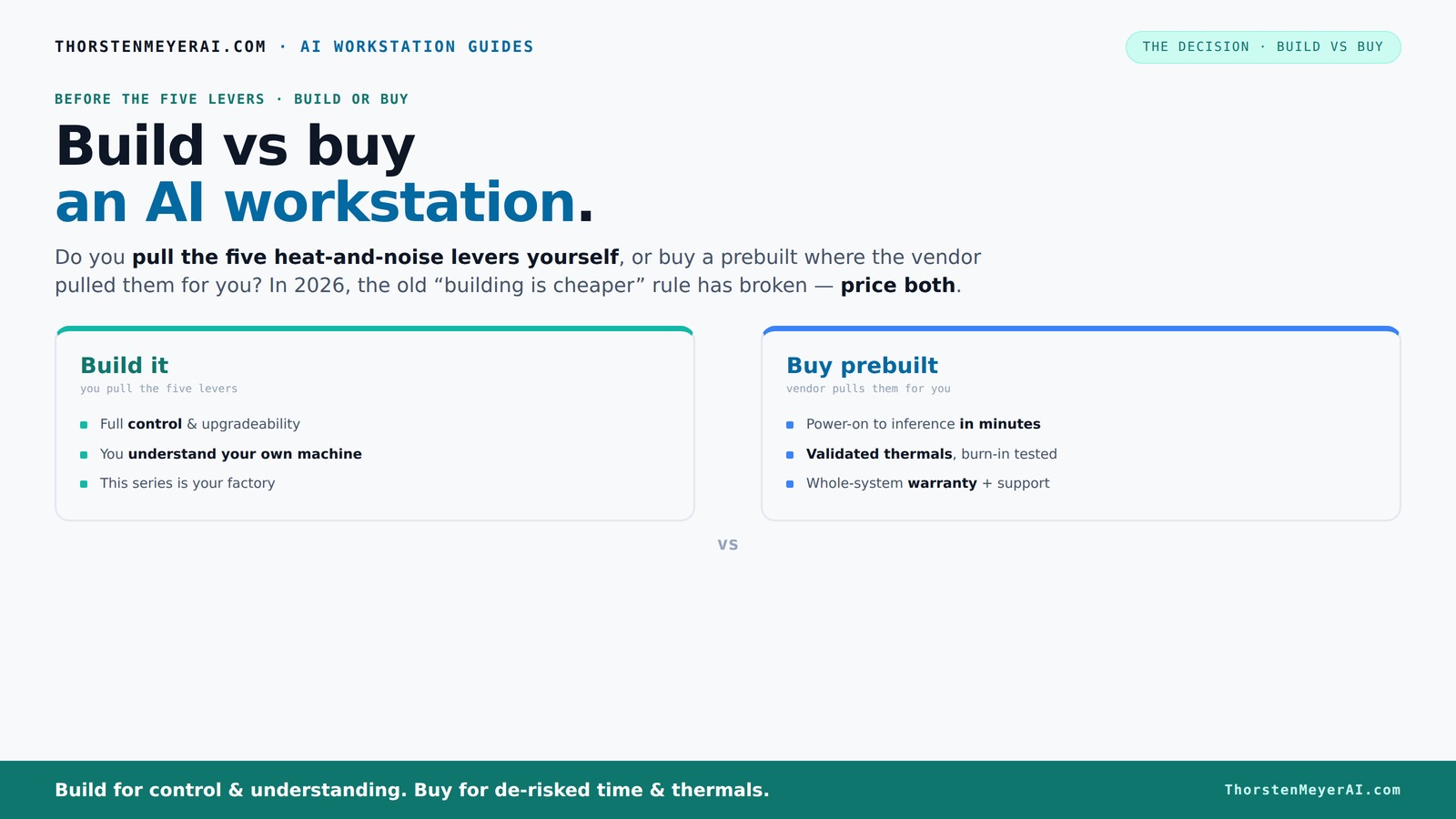
Build vs buy
an AI workstation.
The real question behind this whole series: do you pull the five heat-and-noise levers yourself, or buy a prebuilt where the vendor pulled them for you? And in 2026, the old “building is cheaper” rule has broken. Match your situation in Part 3.
Key Takeaways
- Component shortages and inflation have made prebuilt AI workstations often equally priced or cheaper than DIY options in 2026.
- Prebuilts include validated thermals, optimized cooling, and extensive testing—saving you setup time and reducing risk of thermal throttling.
- Building offers more control over components and future upgrades, but requires time, expertise, and patience.
- For quick deployment, support, and reliability, prebuilt systems usually deliver better value in today’s market.
- Your choice depends on whether you prioritize immediate performance and support or customization and learning.
high performance AI workstation prebuilt
As an affiliate, we earn on qualifying purchases.
As an affiliate, we earn on qualifying purchases.
Why Building Your Own AI Workstation Might Feel Like a No-Brainer — But Isn’t Always
Building your own AI workstation has long been the default for those wanting control and cost savings. You pick each component, optimize cooling, and tailor everything to your workload. However, recent shortages have complicated this process significantly. Components like GPUs and high-speed RAM, which were once more available and affordable, are now subject to supply constraints and inflated prices. This means that the time and effort you spend sourcing parts might not just be frustrating—it could also negate any cost savings you expected. For instance, a hobbyist aiming for a high-end GPU setup might spend countless hours hunting for compatible coolers or power supplies, only to face doubled prices or unavailability. The implications are clear: the traditional advantage of building cheaply is eroding, and the risks of delays, compatibility issues, and unforeseen costs are rising. The tradeoff becomes whether you value customization and control enough to accept these hurdles or prefer the reliability and speed of prebuilt systems. In essence, the decision now involves weighing the potential for tailored performance against the realities of a constrained supply chain and increased costs, which can extend project timelines and inflate budgets.
As an affiliate, we earn on qualifying purchases.
Why Buying a Prebuilt AI Workstation Is a Smart Move Right Now
A prebuilt AI workstation is a ready-to-go powerhouse, assembled and tested to handle heavy AI workloads. Imagine powering it on, with the OS, drivers, and AI software already installed—no fuss, no extra setup. Vendors like Lambda and Puget Systems burn-test their machines for 24–48 hours, ensuring they won’t throttle or overheat during your longest training runs. This rigorous validation isn’t just about quality assurance; it’s about providing a system that’s optimized for stability and peak performance from day one. The benefits extend beyond hardware reliability. For example, if you’re running multi-GPU training sessions that demand precise cooling and stable power delivery, prebuilt systems often incorporate advanced cooling solutions—such as water cooling or custom airflow designs—that outperform typical DIY setups. This means quieter operation, lower temperatures, and reduced thermal throttling, which directly translates into faster training times and higher efficiency. Furthermore, support and warranty services are critical in high-stakes AI work. When hardware fails or performance issues arise, having dedicated technical support and warranty reduces downtime and prevents costly troubleshooting. This is especially valuable in professional or research environments where time is money. In 2026, for those prioritizing immediate deployment, stability, and support, prebuilt systems often offer a more reliable and hassle-free experience, allowing you to focus on your work rather than hardware headaches.
professional AI workstation with support
As an affiliate, we earn on qualifying purchases.
As an affiliate, we earn on qualifying purchases.
Build vs Buy: The Cost and Performance Showdown in 2026
| Factor | Build Your Own |
|---|---|
| Cost | Often higher upfront due to component shortages and inflation, especially for high-end parts like GPUs and DDR5 RAM. The scarcity has driven prices beyond what traditional supply-and-demand models predicted, making DIY builds more expensive and less predictable. Moreover, sourcing compatible parts can lead to delays, forcing you to compromise on performance or wait for stock replenishments, which can stretch timelines and inflate costs further. This unpredictability means that the cost advantage of building is less certain than in previous years, and in some cases, may even be reversed. |
| Performance | Potentially optimized for your specific workload, but depends on your thermal management skills and part compatibility. While a skilled builder can fine-tune BIOS settings, undervolt GPUs, and configure airflow for maximum performance, the margin for error is higher. Compatibility issues, thermal bottlenecks, or insufficient power delivery can negate performance gains. Conversely, prebuilt systems undergo rigorous testing and validation, ensuring thermal efficiency and stability. As a result, they often deliver more consistent performance, especially under sustained loads, which is critical for AI workloads that demand continuous GPU and CPU throughput. |
| Time & Effort | Significant—weeks of sourcing, assembly, troubleshooting, and testing. The process involves careful component selection, compatibility checks, and iterative testing, which can be daunting for those without extensive experience. Each step introduces potential delays and frustrations, especially amid supply chain disruptions. |
| Upgrades & Flexibility | Usually easier to swap parts later; however, proprietary layouts in prebuilts can complicate this. Building your own allows full control over component choices, making future upgrades more straightforward—assuming you have the technical skill and compatible parts. This flexibility can extend the lifespan of your system and adapt to evolving workloads, but it requires ongoing maintenance and technical knowledge. |
| Factor | Buy Prebuilt |
|---|---|
| Cost | Typically more expensive initially, but sometimes cheaper when considering time saved and support included. While the sticker price may be higher, the reduced time investment and decreased risk of costly errors can make prebuilts a more economical choice overall. |
| Performance | Great—validated thermals, optimized cooling, and software tuning often outperform DIY in thermal management. Prebuilts are engineered with airflow and component placement designed for high-performance workloads, ensuring sustained GPU and CPU performance without thermal throttling. |
| Time & Effort | Minutes to hours—power on and start working. Prebuilts eliminate the lengthy process of sourcing parts, assembling, and troubleshooting. This rapid deployment is especially valuable in professional environments where time-to-productivity matters. |
| Upgrades & Flexibility | Can be limited by proprietary parts; check upgrade paths before buying. Many prebuilts use custom motherboards or power supplies, which can restrict future upgrades or repairs. Carefully review the manufacturer's upgrade policies and component compatibility to avoid surprises down the line. |
As an affiliate, we earn on qualifying purchases.
When to Build Your Own AI Workstation (And When Not To)
Build if you have the time, patience, and technical skill to optimize thermals and tweak components. For example, a researcher with a background in hardware can fine-tune cooling and undervolt GPUs for maximum performance. This approach allows for tailored configurations that can squeeze out extra performance and efficiency, which is especially important for niche or highly specialized workflows. However, the tradeoff is increased complexity—errors in assembly or configuration can lead to thermal issues, instability, or hardware failure, ultimately costing more time and money. If you’re experienced and enjoy hardware tinkering, this path can yield a highly optimized system that precisely matches your needs.
But if your priority is quick deployment, reliable operation, and support, buying a prebuilt makes more sense. Prebuilts are tested extensively, with validated thermals and stability, minimizing the risk of failures that can be costly in time and resources. They also come with warranties and dedicated support, which is invaluable when working under tight deadlines or in mission-critical environments. Essentially, if you’re seeking a plug-and-play experience with predictable performance, prebuilt systems are often the smarter choice, especially given current supply chain uncertainties and the complexity of high-end hardware.
Maximize Your Investment: What Matters Most in 2026
In 2026, the key to a successful AI workstation isn’t just specs—it’s how well you manage heat, noise, and reliability. A prebuilt with tailored cooling, validated thermals, and solid support can save you hours and headaches. This means fewer thermal throttling incidents, less downtime, and more consistent performance—crucial factors when training large models or running intensive inference tasks. At the same time, a DIY build grants you the ability to customize cooling solutions, select cutting-edge components, and upgrade incrementally, which can extend the lifespan of your system and adapt to evolving workloads. The tradeoff involves balancing the upfront effort and potential troubleshooting against the long-term benefits of control and flexibility. Ultimately, understanding your workflow and tolerance for maintenance helps determine whether immediate stability or future adaptability is more valuable. In this competitive landscape, the emphasis is on optimizing for reliability and efficiency—elements that directly impact your productivity and project success.
Frequently Asked Questions
Is a prebuilt AI workstation worth it?
Yes, especially if you need a system quickly, want validated thermals, and prefer support. Prebuilts reduce setup time and lower the risk of compatibility issues, making them ideal for professional workloads.Is it cheaper to build or buy for AI work?
In 2026, component shortages and price spikes have closed the gap. Sometimes prebuilts are cheaper when factoring in the time and troubleshooting costs of building yourself, especially for high-end systems.Which is better for GPU-heavy workloads like training and inference?
Prebuilt systems often come with optimized cooling and validation, which can handle sustained GPU loads better than DIY setups. For multi-GPU workloads, a prebuilt with water cooling and thermal tuning is usually more reliable.Can I upgrade a prebuilt AI workstation later?
It depends on the system. Many prebuilts use proprietary parts, which can complicate upgrades. Always check the upgrade paths and compatibility before buying.Will a prebuilt have better cooling and stability than my own build?
Typically, yes. Vendors test and validate thermals under load, reducing the risk of overheating and throttling during intense AI tasks.Conclusion
In 2026, the traditional advantage of building your own AI workstation has faded. The best choice now depends on your workflow, risk appetite, and time. If you want a reliable, ready-to-run system, buying is often the smarter move. But if you love tinkering and need customization, building still has its place—just expect a longer, more expensive journey. Either way, focus on what truly matters: your workload and your control over it.Flea & tick season Picks
flea and tick prevention
As an affiliate, we earn on qualifying purchases.